


Additional Information



আসসালামু আলাইকুম
আশা করছি সকলেই ভালো আছেন। আপনাদের মাঝে আবারো চলে আসলাম নতুন একটি আর্টিকেল নিয়ে। আজকের পোস্টে আমি আপনাদের সাথে ১৫ হাজার টাকার আশে-পাশের ৩ টা মোবাইল ফোনের রিভিউ শেয়ার করবো। আর এই সব গুলো ফোনই হবে আন অফিসিয়াল ফোন।
১৫ হাজার টাকার বেস্ট ৩ টি আন অফিসিয়াল ফোন
আপনারা জানেন আন অফিসিয়াল ফোনের দাম কিন্তু অফিসিয়াল ফোনের তুলনায় একটু কমই হয়। তো দেখা যাবে যে ফোনে আন অফিসিয়াল মূল্য ১৫ হাজার টাকা, সেটা অফিসিয়ালি ভাবে কিনতে গেলে গুনতে হবে ১৮ হাজার কিংবা তার থেকে বেশি টাকা।
তাই যারা টাকা সাশ্রয় করতে আন অফিসিয়ালি ফোন কিনতে চাচ্ছেন আর তাদের বাজেট যদি হয় ১৫ হাজার টাকার আশেপাশে তাহলে আজকের এই পোস্ট টি তাদের জন্যই। তো চলুন কথা না বাড়িয়ে আমরা মেইন টপিকে ফোকাস দেই।
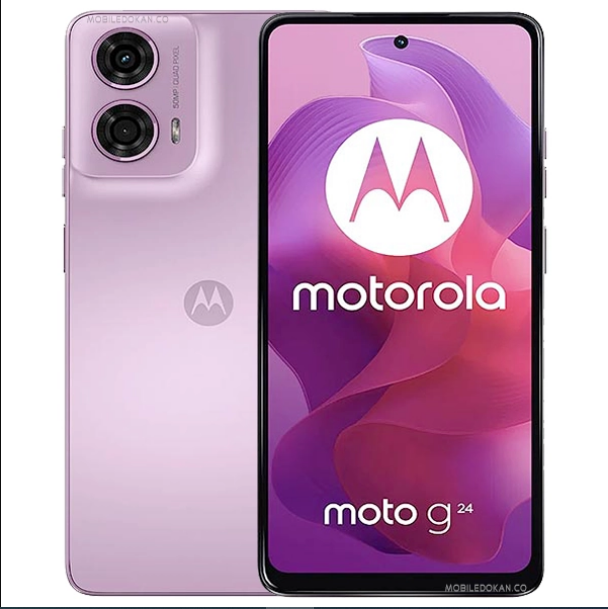
Moto G24 Power
এই ফোনটি মোটরোলা কোম্পানির একটি ফোন। আপনার বাজেট যদি একেবারে ১৩ হাজারের কাছা-কাছি হয় তাহলে এই ফোনটি আপনি চয়েজ করতে পারেন। বাজেট অনুযায়ী অন্যন্য অনেক কোম্পানির ফোন থেকে আপনাকে এটা বেস্ট পারফর্মেন্স দিবে। কেননা বাজেট অনুযায়ী একটি ভালো প্রসেসর, বড় ব্যাটারি পাবেন এই ফোনে।
পারফর্ম্যান্স
প্রথমেই কথা বলি এই ফোনের পারফর্ম্যানন্স নিয়ে। এই ফোনে আপনারা পাচ্ছেন MediaTec Helio G85. এটা খুবই ডিসেন্ট একটি প্রসেসর। যা এই বাজেটের দিক থেকে ভালো একটা পারফর্ম্যান্স দিবে। যদি কম্পেয়ার করি এটাকে MediaTec Helio G88 এর সাথে তাহলে G85 কিছু দিকে পিছিয়ে থাকলেও ১৩ হাজার টাকার আশে আশের অন্যান্য ফোনের Unisoc T616 প্রসেসরের থেকে Helio G85 বেশ কিছু দিক থেকে এগিয়ে থাকবে।
এছাড়া এই ফোনে পাবেন ৮/১২৮ জিবি স্টোরেজ। যা দিয়ে মূলত একসাথে ৪-৫ টি এপ্লিকেশন নিয়ে কাজ করতে পারবেন। খুব একটা এপ ক্র্যাশ হবে না। যদি গেমিং এর কথা বলেন, তাহলে ভাই Helio G85 কোনো গেমিং প্রসেসর না। তার পরেও লো গ্রাফিক্স এ পাবজি খেলতে পারবেন, আর ফ্রি ফায়ার পাবজির থেকে কিছুটা বেটার পারফর্ম্যান্স দিবে। আর যদি অন্যান্য টুক-টাক গেমিং এর কথা চিন্তা করে এই ফোন কিনেন তাহলে এটা আপনাকে ভালো রেজাল্ট দিবে।
ডিসপ্লে
এই ফোনের একমাত্র কমতির যায়গা হলো এর ডিসপ্লে। এখানে ডিসপ্লে হিসাবে HD+ IPS LCD প্যানেল রয়েছে। যদি ফুল HD+ হতো তাহলে কোনো সন্দেহ ছাড়াই এই বাজেটের রাজা এই ফোনই হতো। তবে তারা আবার পান্স হোল কাট-আউট ও ৯০ হার্জ রিফ্রেশরেট দিয়ে ডিসপ্লে সেকশন কে পুশিয়ে দেওয়ার ট্রাই করেছে। এই ডিসপ্লের সাইজ ৬.৫৬ ইঞ্চি এবং ppi ডেনসিটি ২৬৯।
ক্যামেরা
এই ফোনের রেয়ারে ডাবল ক্যামেরা সেট আপ পাবেন। ৫০ মেগাপিক্সেল এর মেইন ক্যামেরার পাশাপাশি ২ মেগাপিক্সেলের একটি ম্যাক্রো শুটার থাকবে। আর ফ্রন্ট ক্যামেরা হিসাবে রয়েছে ১৬ মেগাপিক্সেল এর একটি ক্যামেরা। যদি বাজেট অনুযায়ী বিবেচনা করেন তাহলে এই বাজেটের অনেক ফোন থেকে এই ফোনের ক্যামেরা এগিয়ে থাকবে। আবার বেশ কিছু ফোন থেকে হয়তো পিছিয়েও থাকবে। মূল কথা আপনাকে বাজেট অনুযায়ী একটা ব্যালান্স রেজাল্ট দিবে।
ব্যাটারি
এই ফোনের ব্যাটারি হিসেবে থাকছে 6000 mAh এর একটি বড় ব্যাটারি। আর চার্জিং এর জন্য রয়েছে ৩৩ ওয়াটের একটি চার্জার। বড় ব্যাটারি হওয়ার জন্য একবার চার্জ করে নিলে গেমিং না করলে এভারেজ দেড়-দুইদিন ইউজ করতে পারবেন। আর গেমিং করলেও একদিন অনায়াসে চলে যাবে।
মূল্য
এই ফোনটি আন অফিসিয়াল ভাবে ৮/১২৮ জিবি স্টোরেজ ভার্সনের দাম ১৩০০০ টাকা। আর এটি একটি ভার্সনেই বাংলাদেশে পাওয়া যায়।
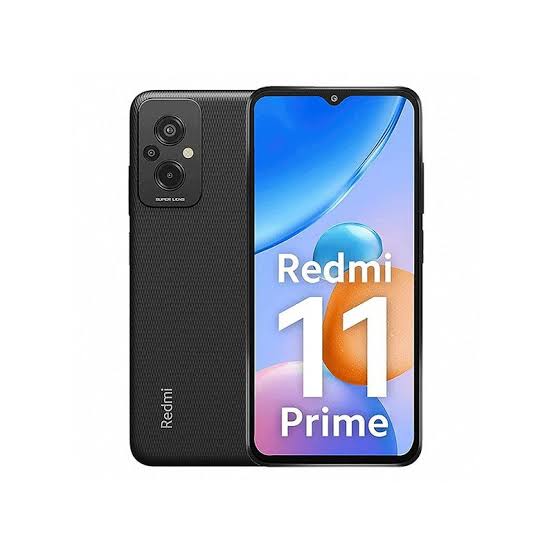
Redmi 11 Prime
এবার আপনাদের বাজেট যদি আগের বাজেয়াতের তুলনায় একটু বাড়াতে পারেন তাহলে কিন্তু বাজেট ফ্রেন্ডলি ফোন গুলোর মধ্য হাইপে থাকা একটি ফোন কিনতে পারবেন। কথা বলছিলাম Redmi 11 prime নিয়ে। যদি আপনার বাজেট একদম ১৫ হাজার টাকায় ফিক্সড হয় তাহলে ভাই, এই ফোনটি আপনি চয়েজ করতেই পারেন।
পারফরম্যান্স
এই ফোনটির সব থেকে আকর্ষণীয় দিকই হলো এর পারফরম্যান্স সেকশন। কেননা এতে রয়েছে MediaTec Helio G99 প্রসেসর। আপনারা জানেন হয়তো এখন ২৫-২৬ হাজার টাকার ফোনেও এই প্রসেসর থাকে। তাই মাত্র ১৫ হাজার টাকার ফোনে এই প্রসেসর রয়েছে মানে কিন্তু গেমিং এর দিক থেকে মোটামুটি একটা ভালোই পারফর্ম পাওয়া যাবে। যদি এটাকে কম্পেয়ার করি Snapdragon 695 এর সাথে তাহলে বলা যায় দুটোর পারফর্ম্যান্স প্রায় সেমই।
ক্যামেরা
যদি এই ফোনের ক্যামেরা নিয়ে কথা বলি তাহলে এর রেয়ারে ৩ টা ক্যামেরা রয়েছে। ৫০ মেগাপিক্সেলের মেইন ক্যামেরার পাশাপাশি ২ মেগাপিক্সেল এর ১ টি ডেপথ ও ১ টি ম্যাক্রো শুটার পাবেন। আর ফন্ট ক্যামেরা হিসেবে ৮ মেগাপিক্সেল এর। ক্যামেরা রেজাল্ট এর কথা বললে আগের ফোনের মতো প্রায় সেইম রেজুলেশনই পাবেন। তবে একটু হলেও আগেরটা থেকে একটু বেটার রেজাল্ট পাবেন।
ডিসপ্লে
এই ফোনটাতেও কমতির যায়গাটা সেই ডিসপ্লে সেকশনই। না এবার তারা কোনো HD+ ডিসপ্লে না দিয়ে ফুল HD+ ডিসপ্লে দেওয়া হয়েছে। ৯০ হার্জ হাই রিফ্রেসরেট এর পাশাপাশি একে প্রটেক্ট করছে কর্নিং গোরিলা গ্লাস ৩। তবে এর কমতির যায়গা হলো এতে পান্সহোল কাট আউট না দিয়ে ওয়াটার ড্রপ নচ দেওয়া হয়েছে। যেটা এই সময়ে ততটা মানানসই না। তারপরেও এটাকে যদি কনসিডার করতে পারেন তাহলে এই প্রাইসে বেস্ট ডিল এটাই।
ব্যাটারি ও মূল্য
ব্যাটারি হিসেবে পাবেন 5000 mAh এর। এবং একে চার্জ করার জন্য ১৮ ওয়াটের চার্জার পাবেন। এবার যদি এর মূল্যর কথা বলি, তাহলে ৪/৬৪ জিবি ভ্যারিয়েন্ট এর দাম ১৩০০০ হাজার টাকা ও ৬/১২৮ জিবি ভ্যারিয়েন্টের দাম ১৫০০০ টাকা।
Realme 10
Redmi ফোনের Miui নিয়ে একটু ঝামেলা থাকেই সাধারণত। তাই অনেকেই Redmi এর উপর ততটা ভরসা করতে পারে না। তবে আপনি যদি Realme এর উপর ভরসা রাখতে পারেন তাহলে অলমোস্ট সেইম প্রাইসে ভালো একটা ডিল পাবেন।

ডিসপ্লে
এই ফোনের ডিসপ্লে হিসেবে থাকছে সুপার এমোলেড প্যানেল, ৯০ হার্জ হাই রিফ্রেসরেট ও ফুল HD+ রেজুলেশন। উপরের ২ টা ফোনের থেকেও বেস্ট একটা ডিসপ্লে। আর এই বাজেটে এমন সুপার এমোলেড আপনাকে হাতে গোনা কয়েকটি ফোন ছাড়া আর কেউ দিবে না। আবার এর ফন্ট ক্যামেরা পান্সহোল কাটআউটের আর এটা মাঝখানে না দিয়ে ফোনের উপরের বাম দিকে দেওয়া আছে। আবার এটাকে কর্নিং গোরিলা গ্লাস ৫ দিয়ে প্রটেক্ট করা হয়েছে। আবার এর ব্রাইটনেস ও কালার প্রেজেন্টেশন ও এগিয়ে আছে।
পারফরম্যান্স
এই ফোনেও রয়েছে Mediatec Helio G99 প্রসেসর। এটা নিয়ে তো উপরে কথা বললামই, আশা করছি আর বেশি কিছু এটা নিয়ে বলা লাগবে না। তবে এই ফোনের কমতির যায়গা এবার রয়েছে এই সেকশনেই। কেননা এটাকে আপনারা ৪/৬৪ জিবি ভ্যারিয়েন্টে পাবেন। আর বাজেট যদি ২০ হাজার হয় তবেই এটার ৮/১২৮ জিবি ভ্যারিয়েন্ট নিতে পারবেন।
ক্যামেরা
এর রেয়ারে মেইন ক্যামেরা ৫০ মেগাপিক্সেল ও ২ মেগাপিক্সেল এর একটি ডেপথ সেন্সর রয়েছে আর ফ্রন্ট ক্যামেরা ১৬ মেগাপিক্সেল। যদি রেজাল্টের কথা বলি তাহলে উপরের দুইটা ফোন থেকে বেশ এগিয়ে থাকবে এর রেজাল্ট।
ব্যাটারি ও মূল্য
ব্যাটারি হিসেবে পাবেন 5000 mAh এর। এবং একে চার্জ করার জন্য ৩৩ ওয়াটের চার্জার পাবেন। এবার যদি এর মূল্যর কথা বলি, তাহলে ৪/৬৪ জিবি ভ্যারিয়েন্ট এর দাম ১৫০০০ হাজার টাকা ও ৮/১২৮ জিবি ভ্যারিয়েন্টের দাম ২০০০০ টাকা।
শেষ কথা
তো এই ছিলো আজকের টপিক। আশা করবো আপনাদের কাছে পোস্টটি ভালো লাগবে। আর হ্যাঁ, আপনি যদি এই ফোন গুলো থেকে কোনোটি ব্যবহার করে থাকেন তাহলে সেটার কেমন রেজাল্ট পেয়েছেন তার ভালো-মন্দ দিক গুলো কমেন্ট করে জানান।
কেননা আমি তো রিভিউ দিয়েছি শুধুমাত্র ফোনের কাগজে কলমে যা লেখা স্পেসিফিক দেওয়া ছিলো তার উপর ভিত্তি করে। এখন আপনি যদি সেটা ইউজ করে থাকেন তাহলে নিশ্চয় আরো ভালো বা মন্দ দিক পেয়েছেন। তাহলে সেটা কমেন্ট করে জানান। এতে যারা সেই ফোন কেনার চিন্তা ভাবনা করছে তাদের অনেকটা সুবিধা হবে।
 Alight Motion MOD APK 4.2.0 (Pro Subscription Unlocked)
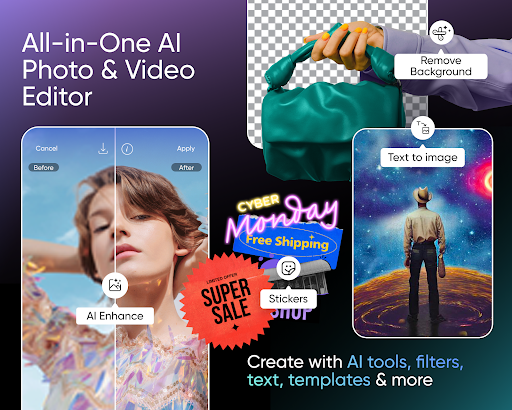
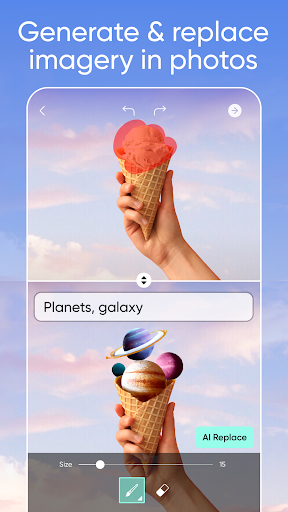
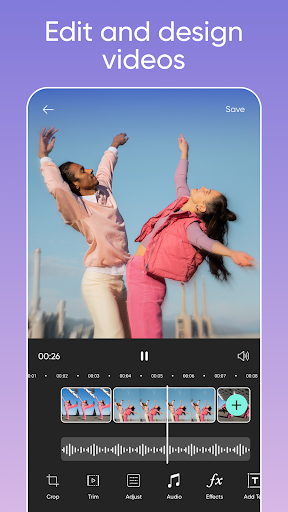
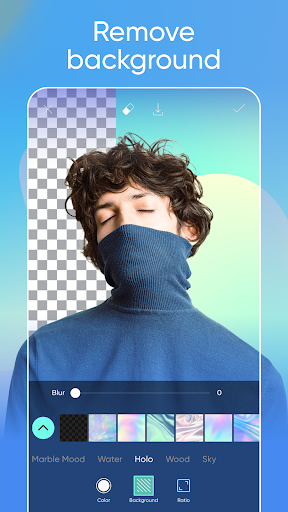
Looking for a simple and effective way to edit your newly captured videos? Or alternatively, a cool mobile app that can help you create brilliant pieces of animations? At last, your ultimate trio of mobile video editor will be completed with the introduction of Alight Motion. Now, together with FilmoraGo and KineMaster, the app will be your final tool for total video creations.
That’s said, like most other apps, Alight Motion offers the similar options, which would allow you to effectively customize your in-game videos. Feel free to make uses of the huge collection of video editing options and features, enjoy creating brilliant videos with your endless imaginations. And most importantly, for those of you who’re interested in making animated videos, this would definitely make a great tool for the job.
Find out more about this amazing app from Alight Creative with our review.
Download Alight Motion MOD APK 4.2.0 (Pro Subscription Unlocked)
Explore this Page
+Additional Information
- No Watermark
- Single Package APK (No SAI Needed)


IMO Pro (Mod Apk): Do you want to make free video calls and messages with paid features like GBWhatsApp Pro and also wanted to make money? then you have to just download IMO Pro 2022.06.1051 apk.
.jpeg)
Call 01874228476 to get the help
Premium
Caller tune add


TeamViewer QuickSupport
Get remote support for your computers and mobile devices — whenever you need it.
TeamViewer QuickSupport was designed for exactly that: quick support.
Once you set up QuickSupport on your computer or mobile device, you can receive tech support at a moment’s notice. QuickSupport enables a support technician to remotely access, remotely control, and remotely view your computer or mobile device for fast troubleshooting.
*TeamViewer strongly recommends only accepting connection requests from people you know and trust.
|YouTube
Download


Additional Information


Download KineMaster Premium Mod APK for Android and get all the latest Features fully unlocked. The App is developed by NexStreamCorp and is a full-featured professional video editor for Android.
Make Logo, intro, edit photos, make the edits realistic with Chroma Key. Download the File Directly from the link below. Make full use of top-notch editing software to make some cool videos.
If a particular mod is not working for your Android Ver then try another Mod version listed below.
TO DOWNLOAD, FIRST SUBSCRIBE
Downlode
Download Armoury Crate Aura Sync for your Windows PC to Create RGB and Lighting Effects on Supported Devices Like Backlit, Mouse, Keyboard, Desktop, and More.

RGB lighting can be seen everywhere. Be it on mouse, keyboard, smartphones, graphics card, motherboard, you name it. I feel RGB gives that vibe of a heavy gamer. But for some, it is a good way to match the aesthetics of their room, as they can control the LEDs in perfect harmony.
What is Asus Aura Sync?
Asus Aura Sync is software that helps the user control the lighting of Asus Aura RGB products. Users can easily control and sync the system lighting according to their needs and customization. Notably, all the LEDs of the RGB structure are connected to the motherboard, so you can control them using Asus Aura Sync software.
Besides, Asus Aura Sync is compatible with a wide range of motherboards. You can control products including motherboards, graphics cards, monitors, and peripherals to create integrated RGB lighting effects. There are plenty of features that Aura Sync provides, which we will be discussing in the latter part of this post.
Download Armoury Crate (Asus Aura Sync)
Note: All Aura Sync Utility features are now part of Armoury Crate. You download and install Armoury Crate for full-featured Aura lighting control, device configuration, membership service, and more.
The download file is hosted on the official Asus site and is safe.
How to Install Armoury Crate/Aura Sync?
- Download the file from the link above.
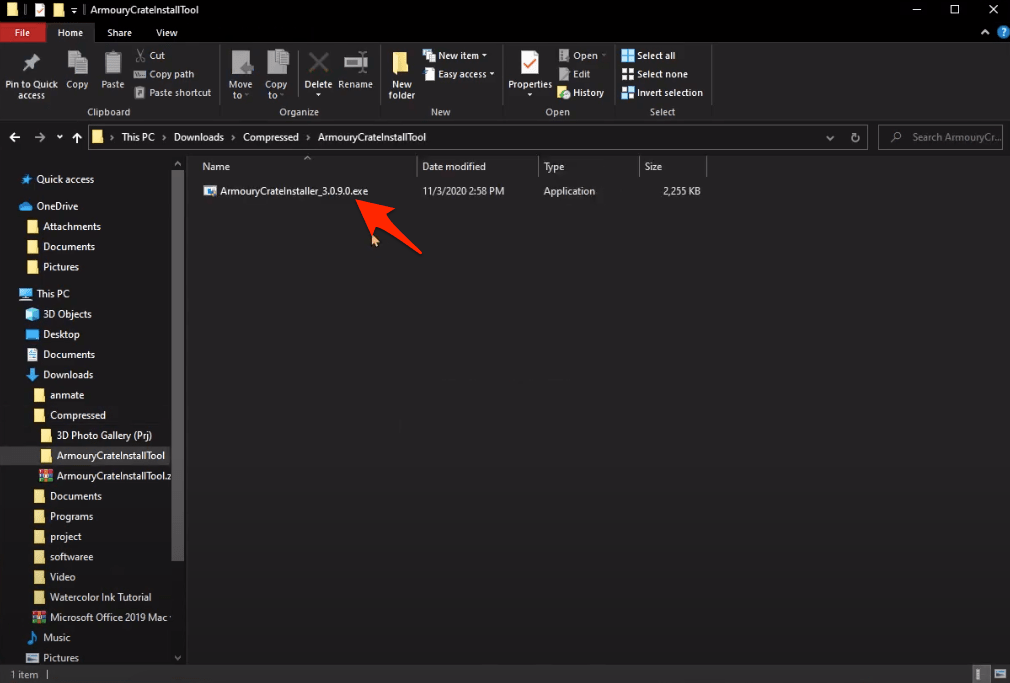
- Unzip the file using Zip Extractor.
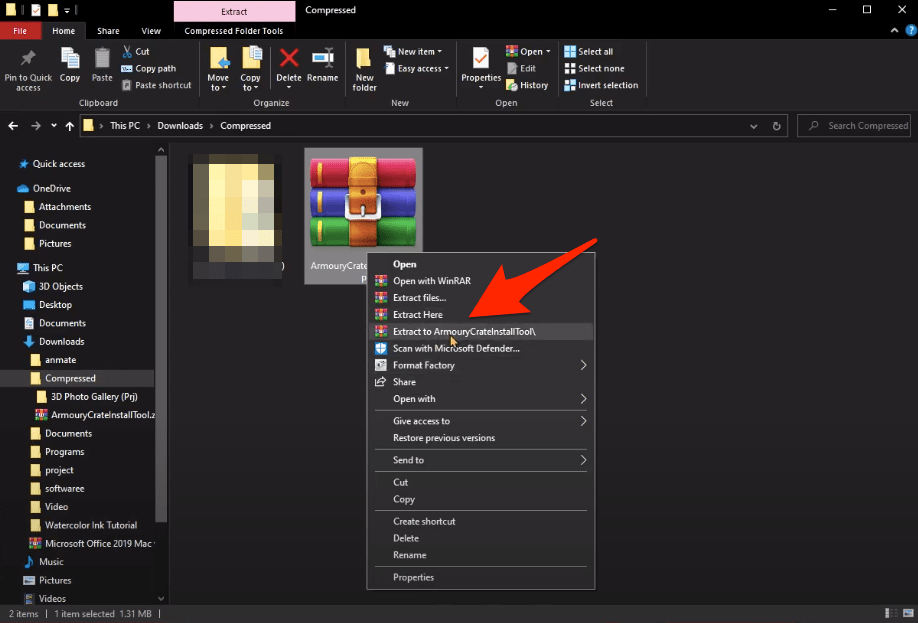
- A setup .exe file will open, double clip the file to open the installation page.
- Select Armoury Crate or Armoury Crate and Aura Creator according to your need.
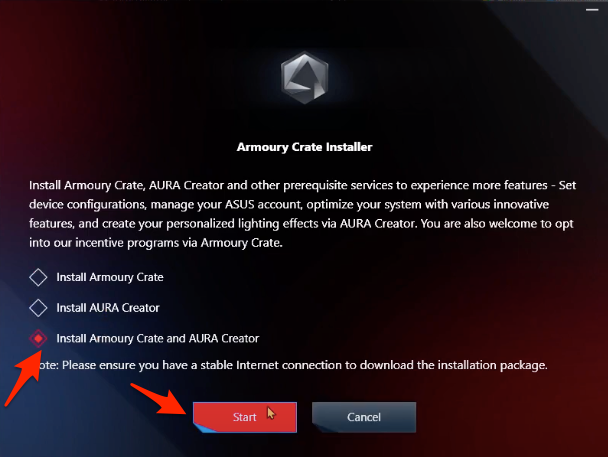
- The file will download additional packages (100+ MB)
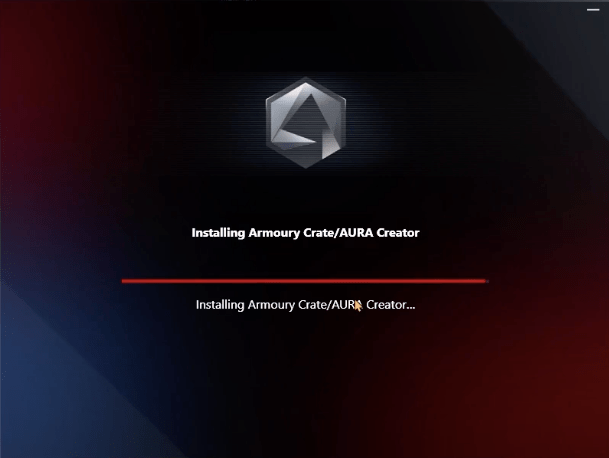
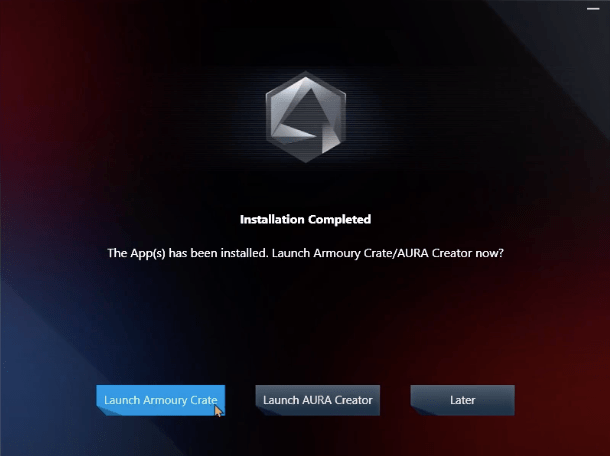
- The software will install, now Launch Armoury Crate and Agree on the Terms.
- Here select all connected devices to Sync
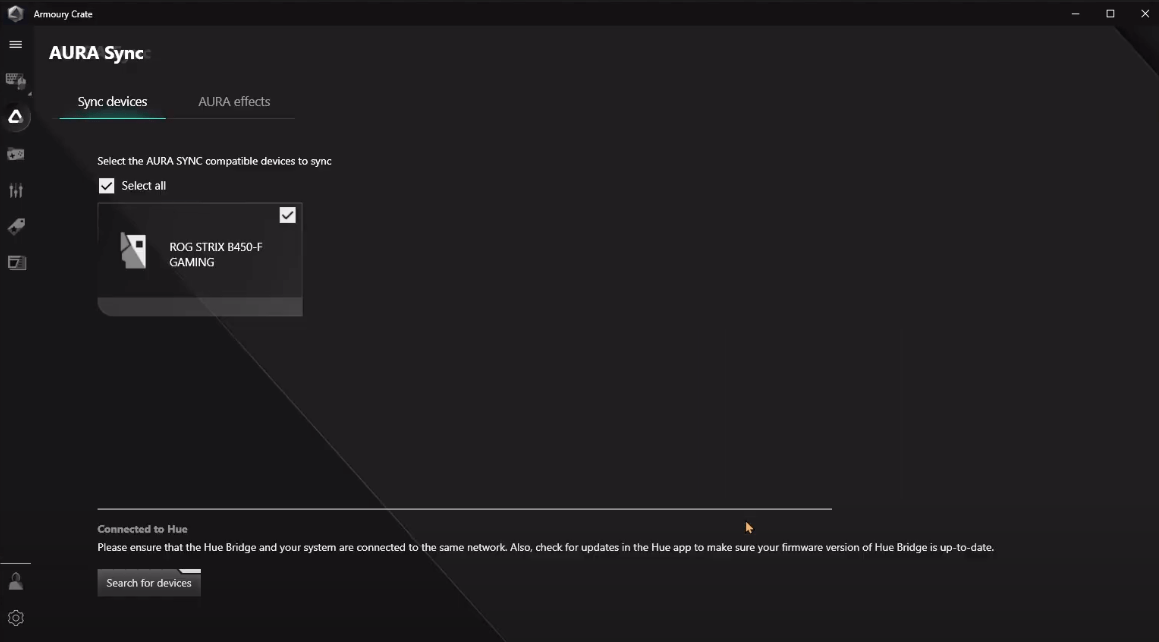
- Now enjoy Aura Effects on your Asus supported devices.
If you face any error while installing the software just restart the PC and reinstall the Aura.
Difference Between Armoury Crate and Aura Creator
While Armoury Crate lets you change preset lighting modes or direct shortcuts, Aura Creator gives you complete access to lighting controls down to each individual LED for every compatible device in your system.
Features and Uses of Asus Aura Sync
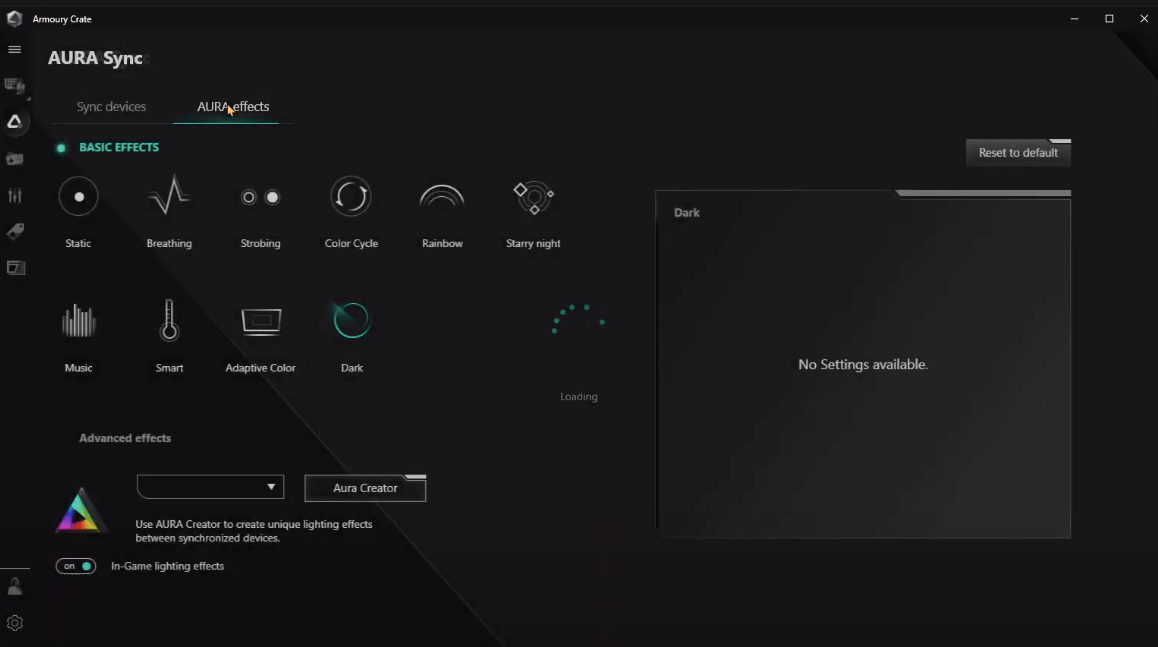
After the installation is done, you might be curious about the features of Asus Aura Sync. Opening the interface, you will see all the lighting options on the left pane of Asus Aura Sync software. On top, all the RGB components are listed, and it is very easy to synchronize the components by simply tapping the synchronize button on top.
Components can be linked or unliked by tapping the “Chain” button below each component. After unlinking each component, you can easily adjust the colors by using specific software for each component. Now, let us go through each of the lighting schemes that you can select on Asus Aura Sync.
- Static: Choosing the Static mode will change all the linked peripherals colors to static mode. You can, however, change the color of each component individually. But the colors will stay stationary.
- Breathing: As you breathe in and out, the color schemes on the Breathing mode in Asus Aura Sync will turn colors on and off mimicking the breathing process.
- Color Cycle: It will randomly change the color of the components. Do note that there is no option to change the individual component colors.
- Rainbow: Different colors will show up at different times. It is one of the popular color schemes used by users. You can control the speed of the color change and also control the sequence of the components.
- Comet: Using the Comet scheme will go through every Asus Aura lighting section in each component and flash the color once. You can change the color and sequence of individual components to flash.
- Flash and Dash: The color scheme is similar to Comet, but in Flash and Dash, the light will stay ON.
- Strobing: Instead of flashing color like Comet, in Strobing the color just fades away. You can change the color and sequence of individual components to flash.
- Temperature: This is one cool color scheme available in Asus Aura Sync. It will change the color of the components based on the temperature of the computer’s core. If the temperature goes below 40-degrees the color will turn Green. If the temperature goes between 40-60 degrees, the color will turn Yellow, and beyond 60-degrees, it will show Red color.
- Music: This option changes the color of the components based on the Music that is being played.
Conclusion
Note that you need to have a compatible component to use Asus Aura Sync software and control its lighting. You can really bring in your imagination to work and use the lighting effects to either match up your room color or match the color of your setup. For more awesome coverage, do follow us on the DigitBin YouTube channel. Until the next post…Cheers!